 ETCS
ETCS

A walkthrough for installing VirtualBox Guest Additions on Ubuntu Server 12.04 and 12.10, from enabling root access to mounting and running the installer.
sudo passwd root su
update system and install essentials for the installation process
apt-get update apt-get upgrade apt-get install gcc make dkms build-essential reboot
Install VirtualBox Guest Additions
Mount your guest addition
you need to be as root or ‘su’ and then type:
cd /opt mkdir cdrom mount /dev/cdrom /opt/cdrom cd cdrom ./VBoxLinuxAdditions.run
if you have errors, check the reason. on ubuntu server, Xorg related errors are acceptable ;)
(Could not find the X.org or XFree86 Window System)
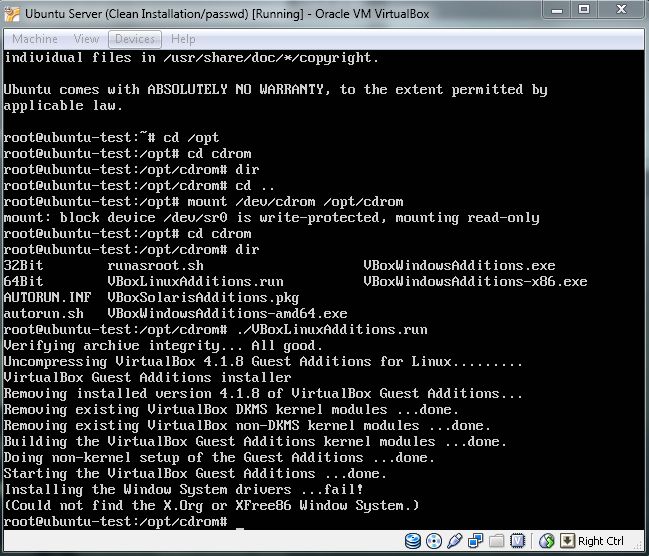
Reboot, and you’ have VirtualBox Guest Additions on Ubuntu Server!
reboot