 RaveMaker
Overview
This tutorial will explain how to upgrade your CyanogenMod CM10 to CM10.1 (Android 4.2.2 Jelly Beans).

Requirements
- First you need to download the latest GAPPS for CM10.1 Google Apps for Android and place it in your SD Card.
Update CM10 to CM10.1
- Access the System Settings menu on your Android CM10 Device
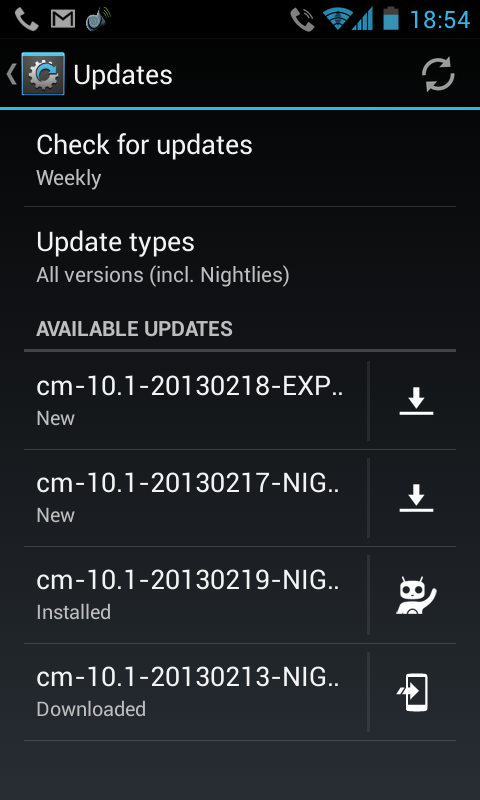
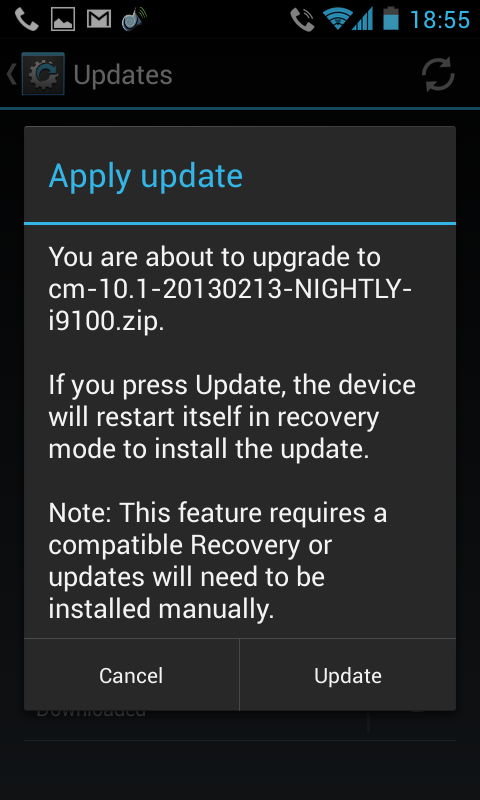
- Select About Phone –> CyanogenMod Updates
- Choose Latest Update by date and install it
Google Apps
After the update is finished your device will have problems with Google Apps so we need to install the GAPPS.zip we’ve downloaded to the SD Card.
- Volume Up + Home + Power: boots your Phone into Recovery Mode.
- Choose Install zip from SD card
- Select your GAPPS.zip file and install it
I’d recommend doing a Complete Wipe but it is optional and everything might work just fine.
Enjoy CyanogenMod.