 ETCS
ETCS
How to install Meteor.js on CentOS, create your first app, deploy to meteor.com, and configure it as a system daemon.
Meteor is an open-source platform for building top-quality web apps in a fraction of the time, whether you’re an expert developer or just getting started.
Install Meteor.js
In the following tutorial I’ll show you how it’s easy to install Meteor.js on your CentOS box. I am using centos 6.5 minimal, but those instruction should work on any centos 6.x machine.
Quick Installation
First, you must have Node.js Installed. if you don’t have Node.js installed yet follow this instructions first.
after you finished installing Node.js use the quick installer:
curl install.meteor.com | /bin/sh
you have Meteor.js installed!
To get started fast:
meteor create ~/my_cool_app
cd ~/my_cool_app
meteor
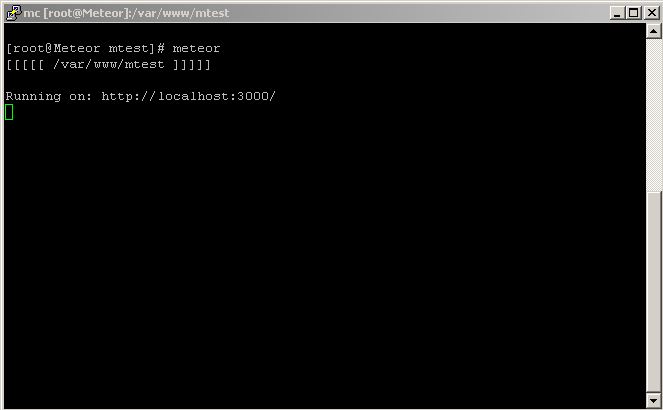
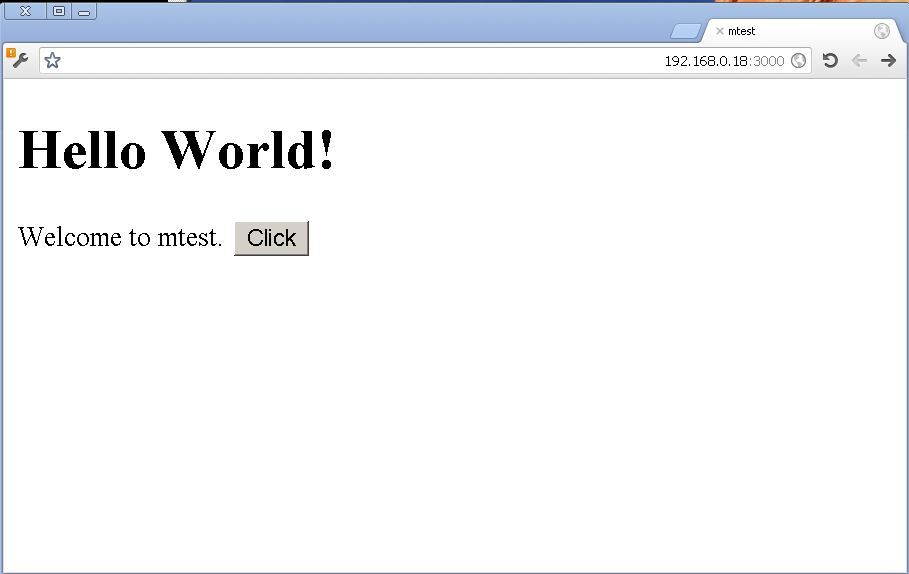
You may want to install database server as most modern web apps use one.
you can watch the leaderboard example using:
meteor create --example leaderboard
* You need mongoDB for this example to work
Deploy to the world
Unleash it on the world (on a free server meteor.com provides):
meteor deploy myapp.meteor.com
You’ll be prompted for an e-mail address, then sent a link where you can choose a username and password. Emily wrote a handy blog post on how to use other features of Meteor developer accounts, such as adding authorized developers with whom you want to share access.
Server as Daemon
cd /usr/local
wget https://code.google.com/p/meteorserver/source/browse/trunk/daemoncontroller.dist
cp /usr/local/daemoncontroller.dist /etc/init.d/meteord
useradd meteor
cp meteord.conf.dist /etc/meteord.conf
chmod +x meteord
edit ‘/etc/init.d/meteord’ and link to your project path.
start now with:
/etc/init.d/meteord start
or better:
service meteord start
# service meteord restart - to restart service
# service meteord stop - to stop service
If you want Meteor to start on system boot, run the following command:
chkconfig meteord on
# chkconfig meteord off to disable daemon on boot.
Conclusion
you can browse now to http://localhost:3000 to see your first Meteor.js site
read the docs for more information about meteor.js
Have fun with your new shiny CentOS Meteor.js server.