 ETCS
ETCS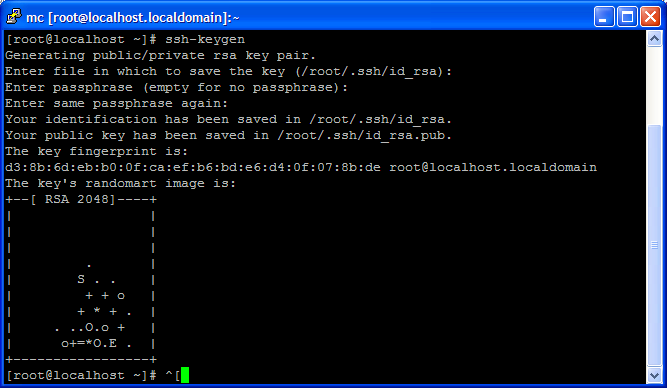
Overview
How to establish SSH connection without password between two linux/unix machines

Instructions
- Generate the files: [id_rsa], [id_rsa.pub] in the First Machine by typing at command (do not use a password - just hit Enter*) :
ssh-keygen * You don’t want to enter any passwords, because you want to call ssh from a within a shell script. ** The randomart is an easier way for humans to validate keys.
 - Copy (and rename) id_rsa.pub to authorized_keys on Server (run from the same computer you run ssh-keygen);
scp -r -P 22 /root/.ssh/id\_rsa.pub destination:/root/.ssh/authorized\_keysWhere destination is server B.
Now you can connect as root without a password between the servers.