 ETCS
ETCS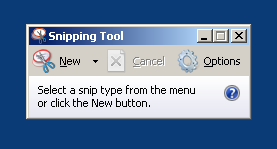
A quick reference for all the ways to capture screenshots in Windows 7, including Print Screen, the Snipping Tool, and OneNote shortcuts.
Capture portion of the screen
- Load the snipping tool (located in All programs > Accessories). then do your stuff.
- If you want to use the mouse (for example to highlight menu item), just leave the snipping tool open and use the CTRL+PrtScn buttons.

Capture using OneNote
- If you have OneNote installed - you can capture portion of the screen by pressing & holding the Win key (Start) then press “s” key.
That’s all!