 RaveMaker
Overview
THIS TUTORIAL ONLY SUPPORTS TINYCORE 4 FOR TINYCORE 5 THERE IS A SOLUTION IN THE COMMENTS BELOW BY Alejo
Tiny Core Linux is one of the smallest Linux distributions out there. We will show you how to customize Tiny Core Linux Remote Desktop Kiosk so it will automatically launch a Remote Desktop client and set a Static IP address.
Download Tiny Core
First you need to download Tiny Core Linux Make sure you choose TinyCore.iso and not Core/CorePlus.
Add Tiny Core Packages
We used these packages (some are already located within the ISO file at /tce/optional/):
- compiletc.tcz,compiletc.tcz.md5.txt
- libao.tcz,libao.tcz.md5.txt
- libusb.tcz,libusb.tcz.md5.txt
- openssl-1.0.0.tcz,openssl-1.0.0.tcz.md5.txt
- pcsc-lite.tcz,pcsc-lite.tcz.md5.txt
- rdesktop.tcz,rdesktop.tcz.md5.txt
- Xlibs.tcz,Xlibs.tcz.md5.txt
- Xvesa.tcz,Xvesa.tcz.md5.txt
Download the needed packages from the TCZ repository, and place them into the ISO file at /tce/optional/, we used PowerISO trial edition to complete this task.
The rest of the packages in /cde/optional/ are unneeded for the Remote Desktop Kisok and should be deleted.
Update the start-up files to include the packages, files are located at /cde/ and are called: text copy2fs.lst, onboot.lst, xbase.lst Edit all three files to look like this: ```text
Xlibs.tcz Xvesa.tcz compiletc.tcz libao.tcz libusb.tcz openssl-1.0.0.tcz pcsc-lite.tcz rdesktop.tcz
# Edit /boot/core.gz

Move and Extract the content of core.gz to a temporary directory: ```bash
zcat core.gz | cpio -i -H newc -d
``` Now you can continue to the next couple of steps.

## Start rdesktop after boot

Create a start-up script called myremote.sh: ```bash
#!/bin/sh # put other system startup commands here

while x=0 do sleep 5 /usr/local/bin/rdesktop -u username -p password hostname-ipaddress -f -0 done
``` Place it at /home/tc/.X.d/ and make sure it is executable: ```bash
chmode +x /home/tc/.X.d/myremote.sh
Edit /opt/shutdown.sh and add the next line after the first line: ```bash . /etc/init.d/tc-functions
## Static IP configuration

Create a stat-up script called eth0.sh: ```bash
#!/bin/sh pkill udhcpc ifconfig eth0 192.168.0.1 netmask 255.255.255.0 broadcast 192.168.0.255 up route add default gw 192.168.0.254 echo nameserver 192.168.0.10 > /etc/resolv.conf echo nameserver 192.168.0.11 >> /etc/resolv.conf
edit /opt/bootlocal.sh and add the next line at the end: ```bash /opt/eth0.sh
edit /opt/.filetool.lst and add the next line at the end: ```text
/opt/eth0.sh
Repack core.gz into the ISO file
delete core.gz file and then update the needed files and repack core.gz to /: ```bash find | cpio -o -H newc | gzip -2 > /core.gz
replace core.gz within the ISO file
# Create a boot-able Memory Card / USB drive
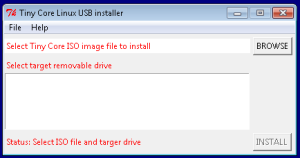
You can use [core2usb](http://sourceforge.net/projects/core2usb/) to create a flash drive from your ISO.
You can use any Hyper-visor to check the ISO of the Tiny Core Linux Remote Desktop.
Enjoy